Let the whole world see your golf. Every round deserves to be seen, so now you can share your photos straight from the course, with your score right there on the picture. Show your friends the shot and the result in one tap, sharing your best moments on the course.
How to capture your round
During your round, tap the photo icon to take a picture. In the Round Photo screen that opens, tap Take Photo, and your photo will be added.
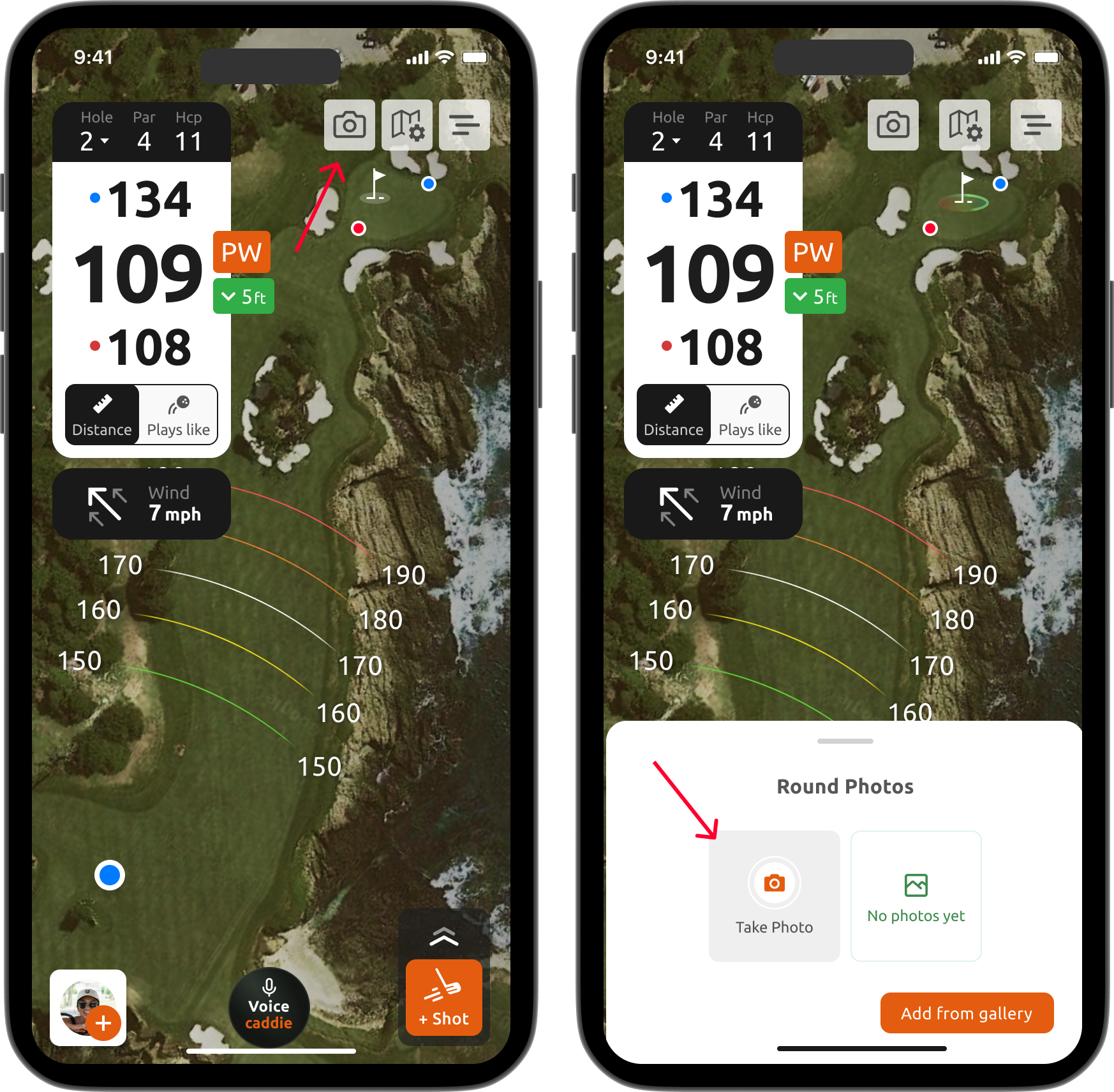
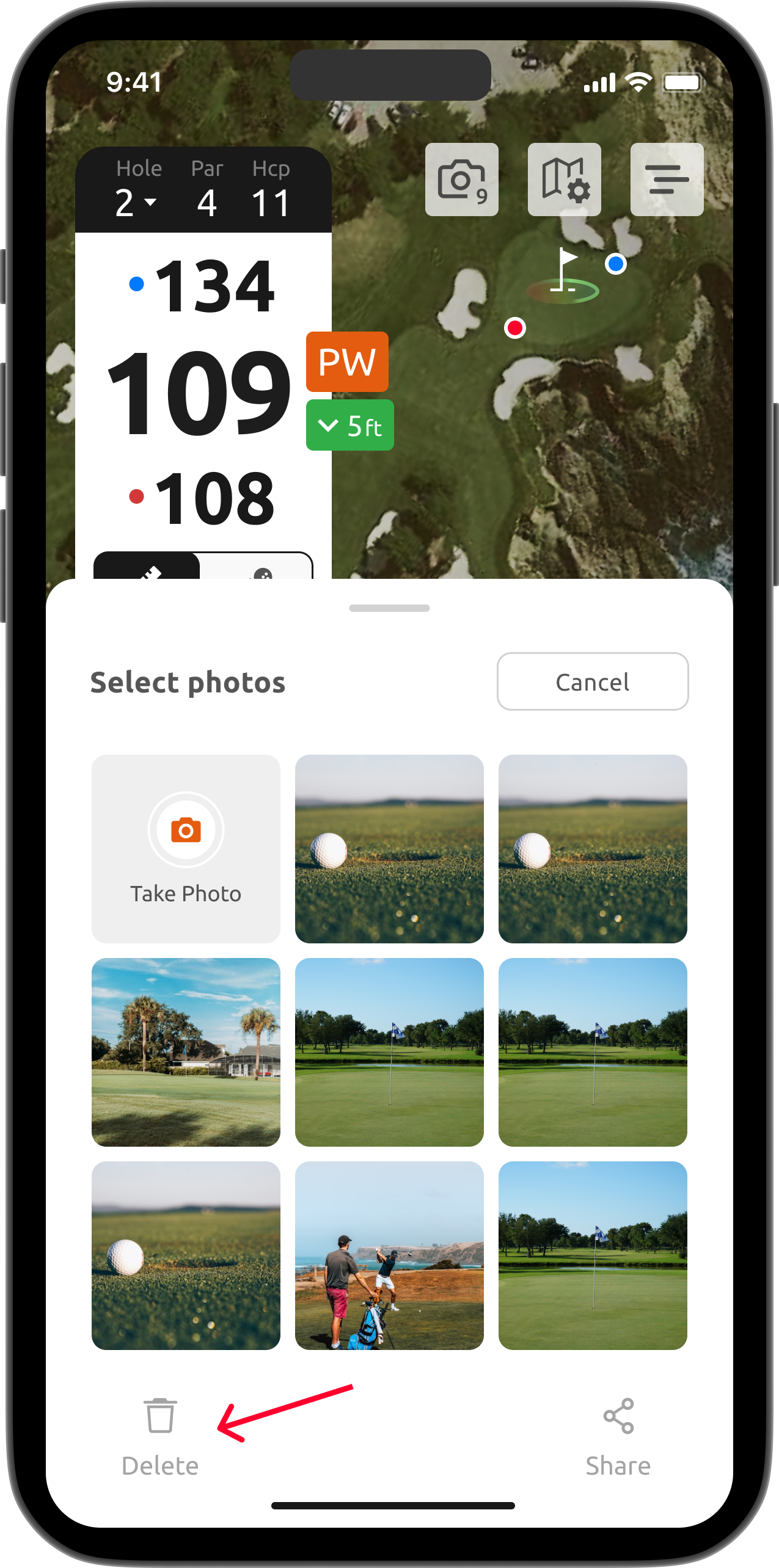
From here you can do either of two things: to leave this mode, swipe down on Round Photos; or to remove a photo, press and hold it for a moment and then tap the Delete icon.
How to share your round
To share a round, tap the menu in the upper right corner and select Share your live round.
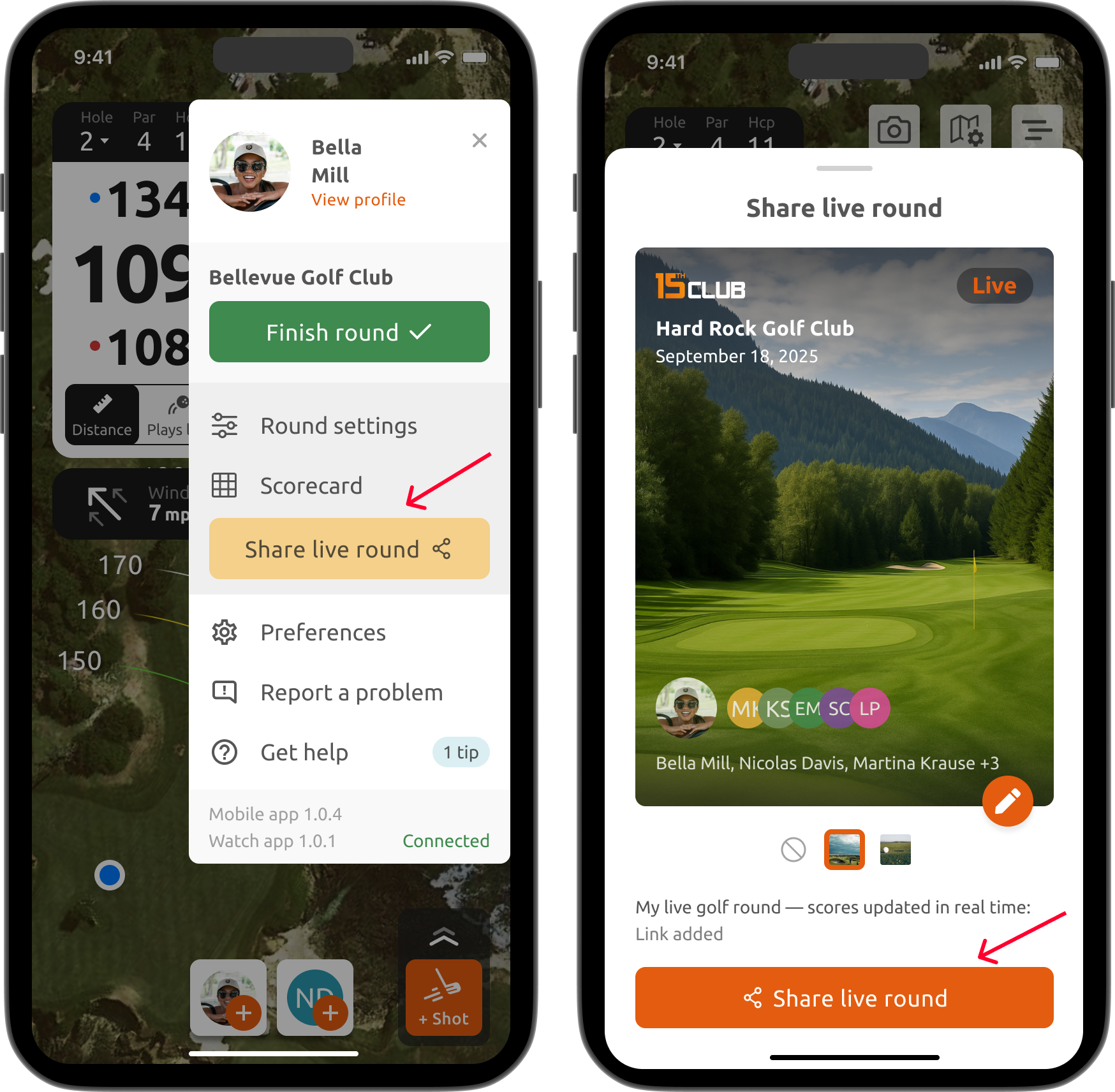
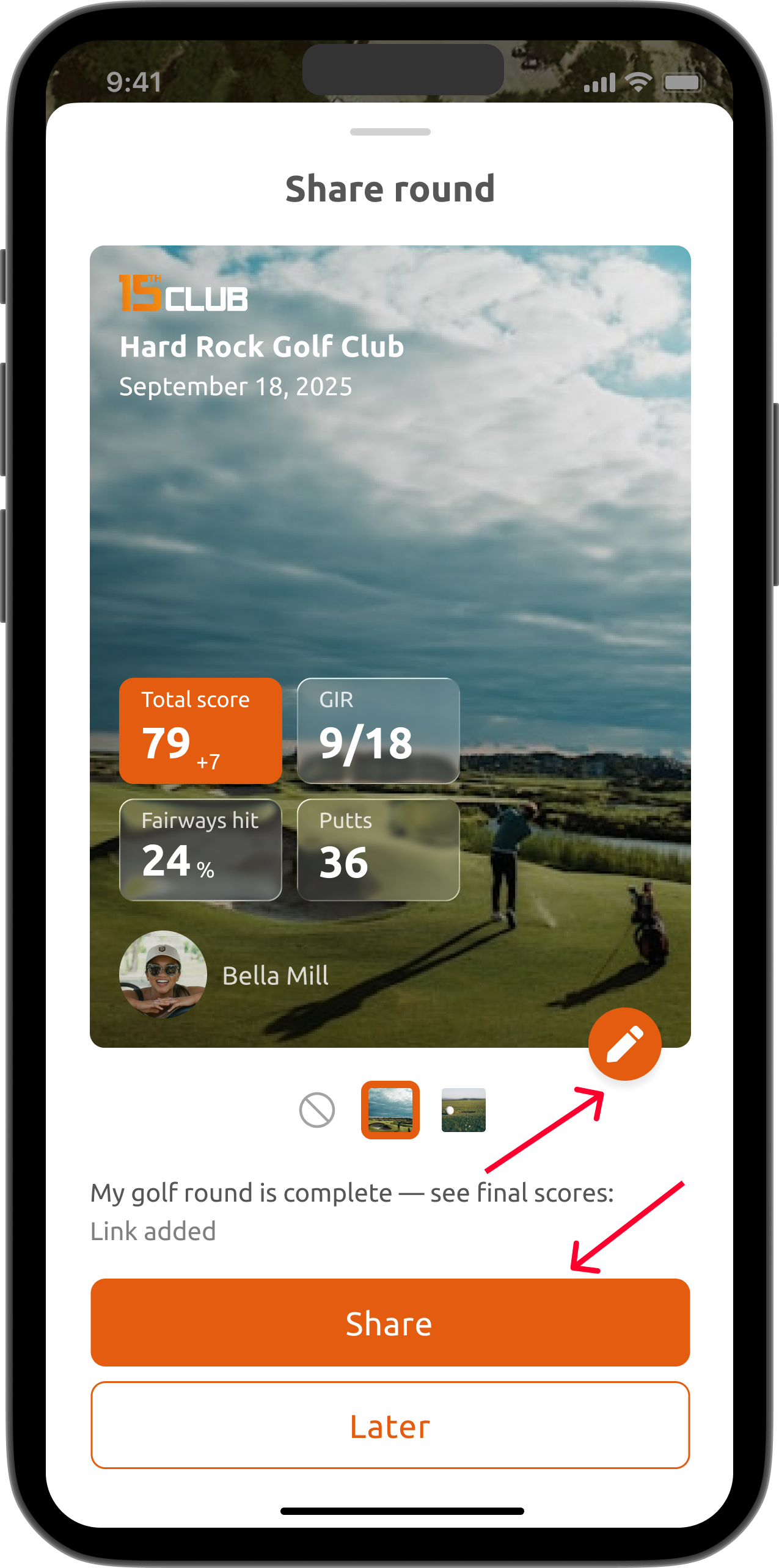
Alternatively, just go to Playing History and select the round you want. In the top right corner, open the menu and tap Share with friends. In the window that opens, you can either choose a photo you already have for the cover, or upload a brand new one by tapping the edit icon.
Your Playing History worth scrolling
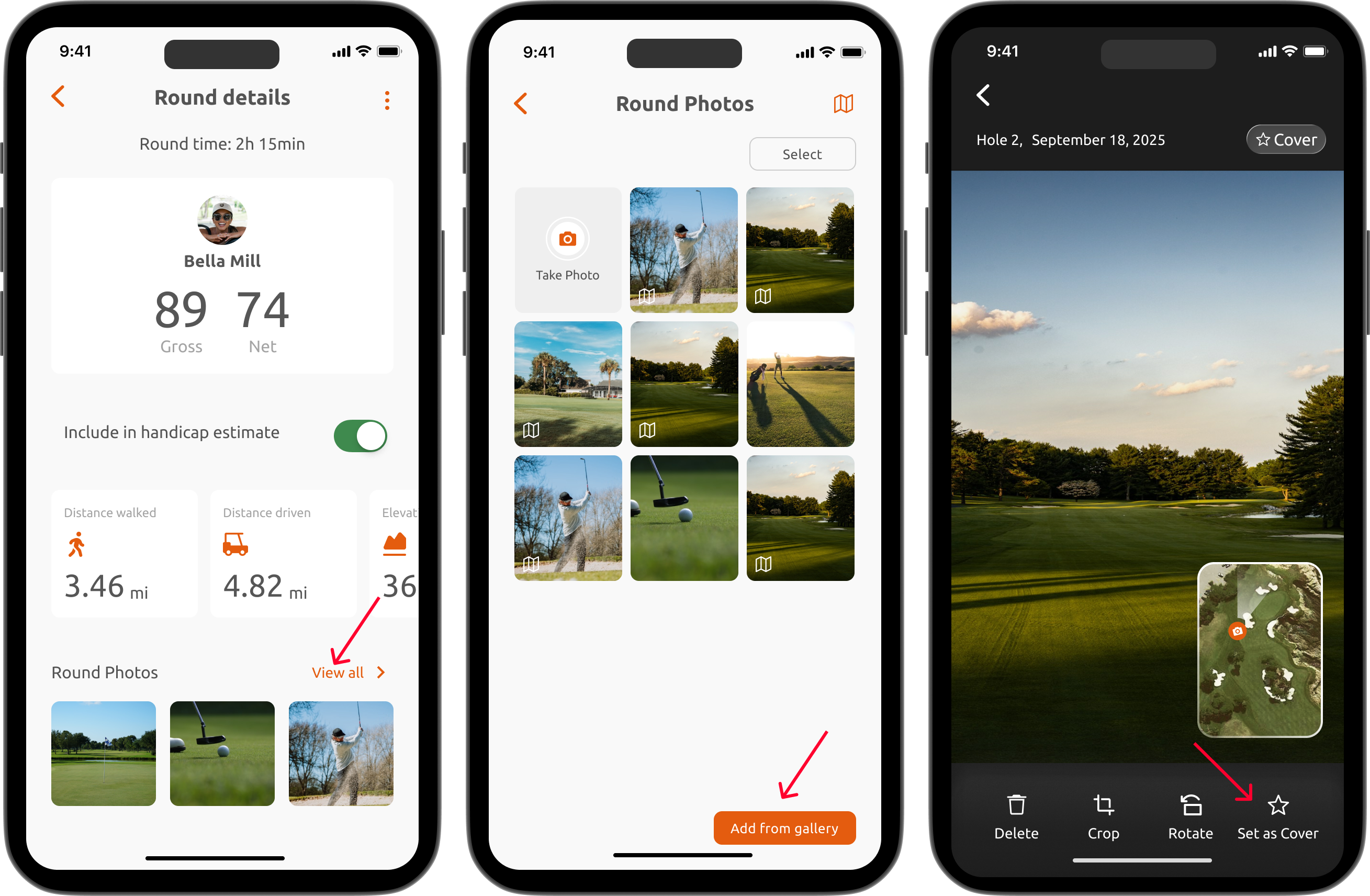
Your Playing History just got a whole lot better. Every round now has its own cover photo that you can choose yourself. Just go to Playing History, open the round you want, and tap All round photos to see your photos. Pick the one you would like as the cover, and select Set as Cover at the bottom.
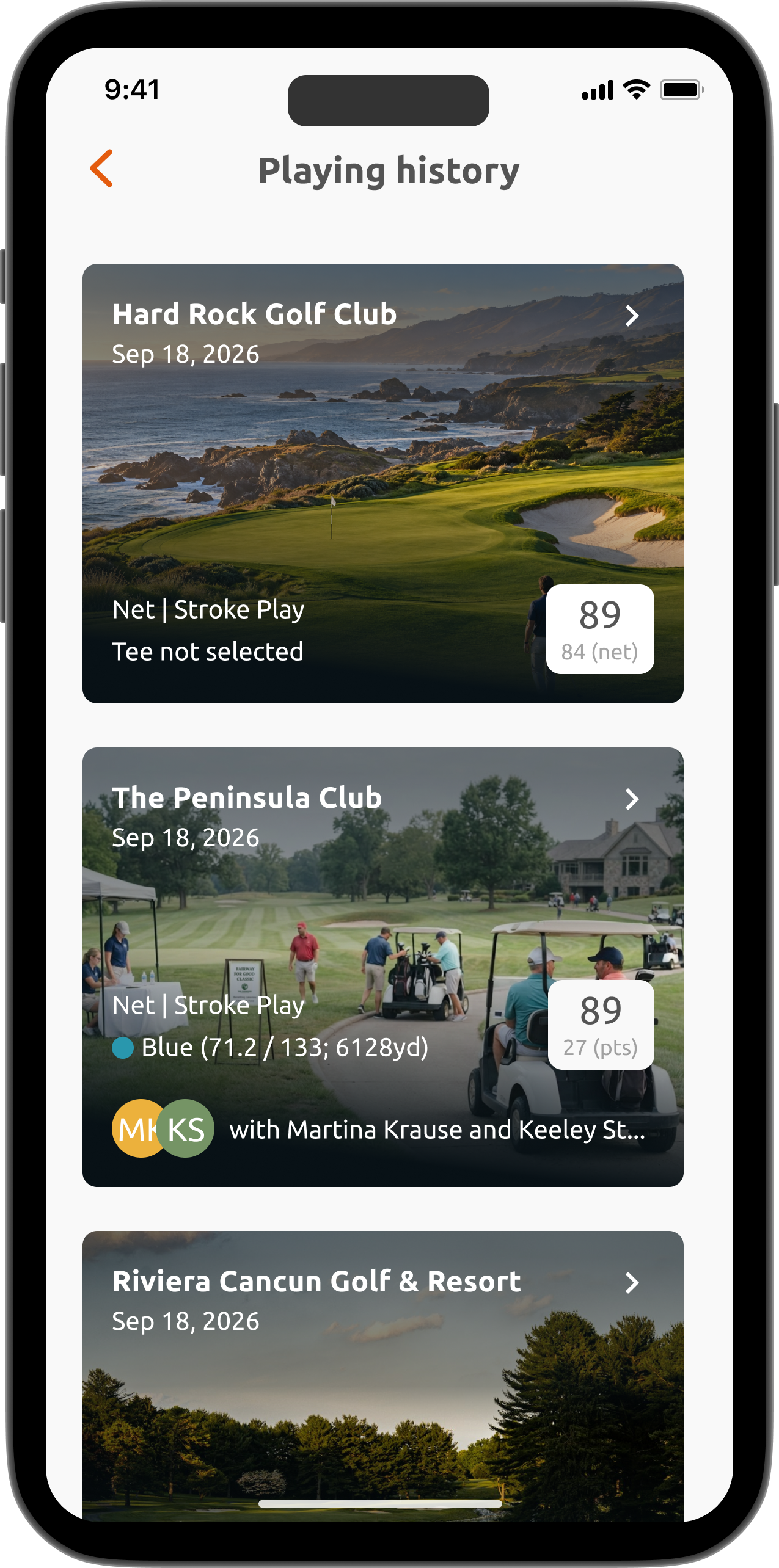
Here is how your Playing History looks now, so every round stays truly memorable.
Turn your photos into course notes
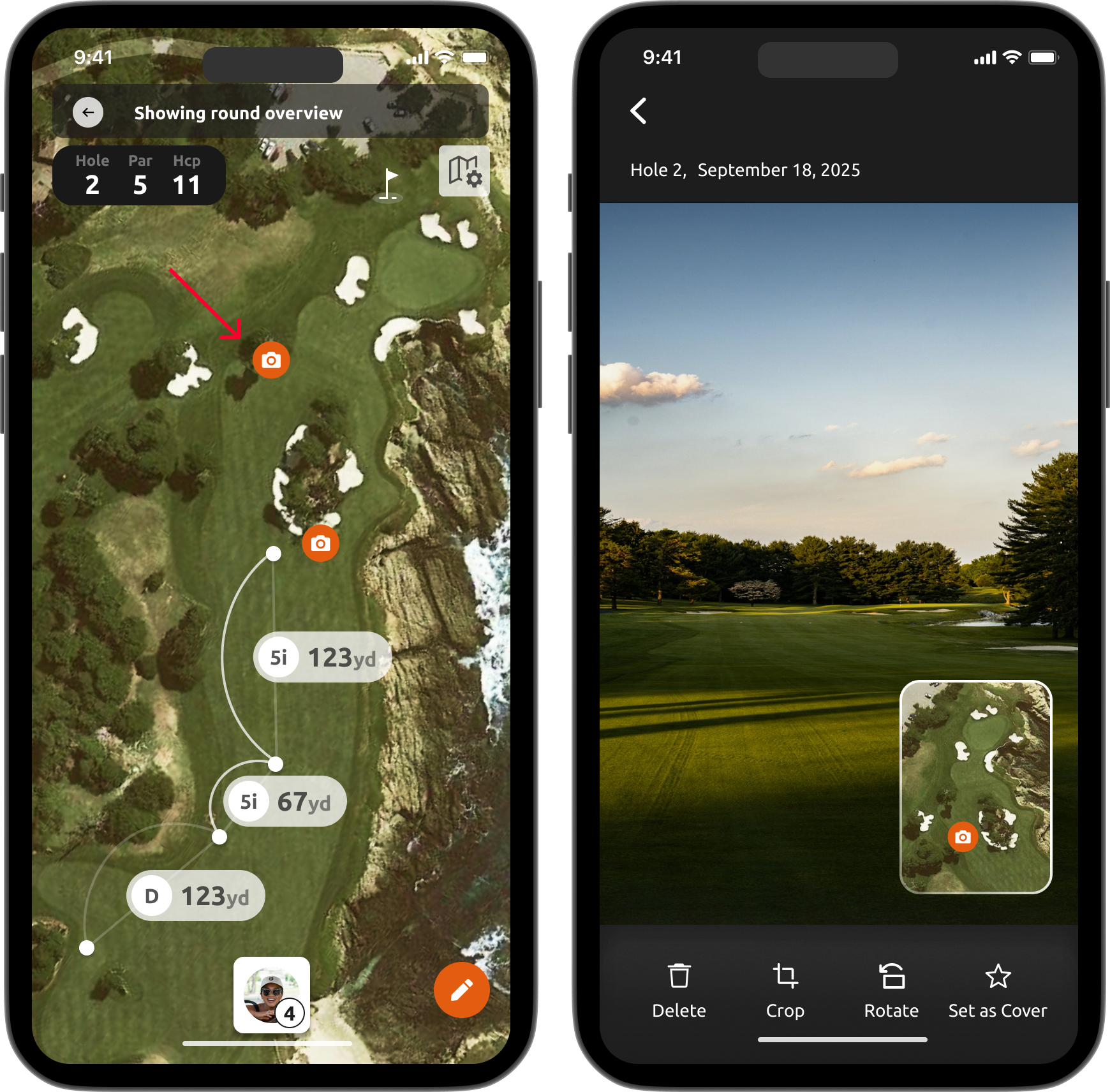
There is also an option to view your photos directly on the course map. This is a great way to take photos of certain areas or tricky parts of a course and keep them as notes. To see these notes:
1. Go to Playing History;
2. Select the round you want;
3. Tap the menu in the top right corner;
4. Select View on map.
Was this article helpful?
That’s Great!
Thank you for your feedback
Sorry! We couldn't be helpful
Thank you for your feedback
Feedback sent
We appreciate your effort and will try to fix the article