We all love golf, but we all love it in our own way. The customizable screen lets you decide what you see and where, so your screen fits the way you play.
Editing your screen is very simple. During your round, tap Map settings, and in the menu that opens select Customize layout. Then press and hold the element you want and drag it to the place that suits you.
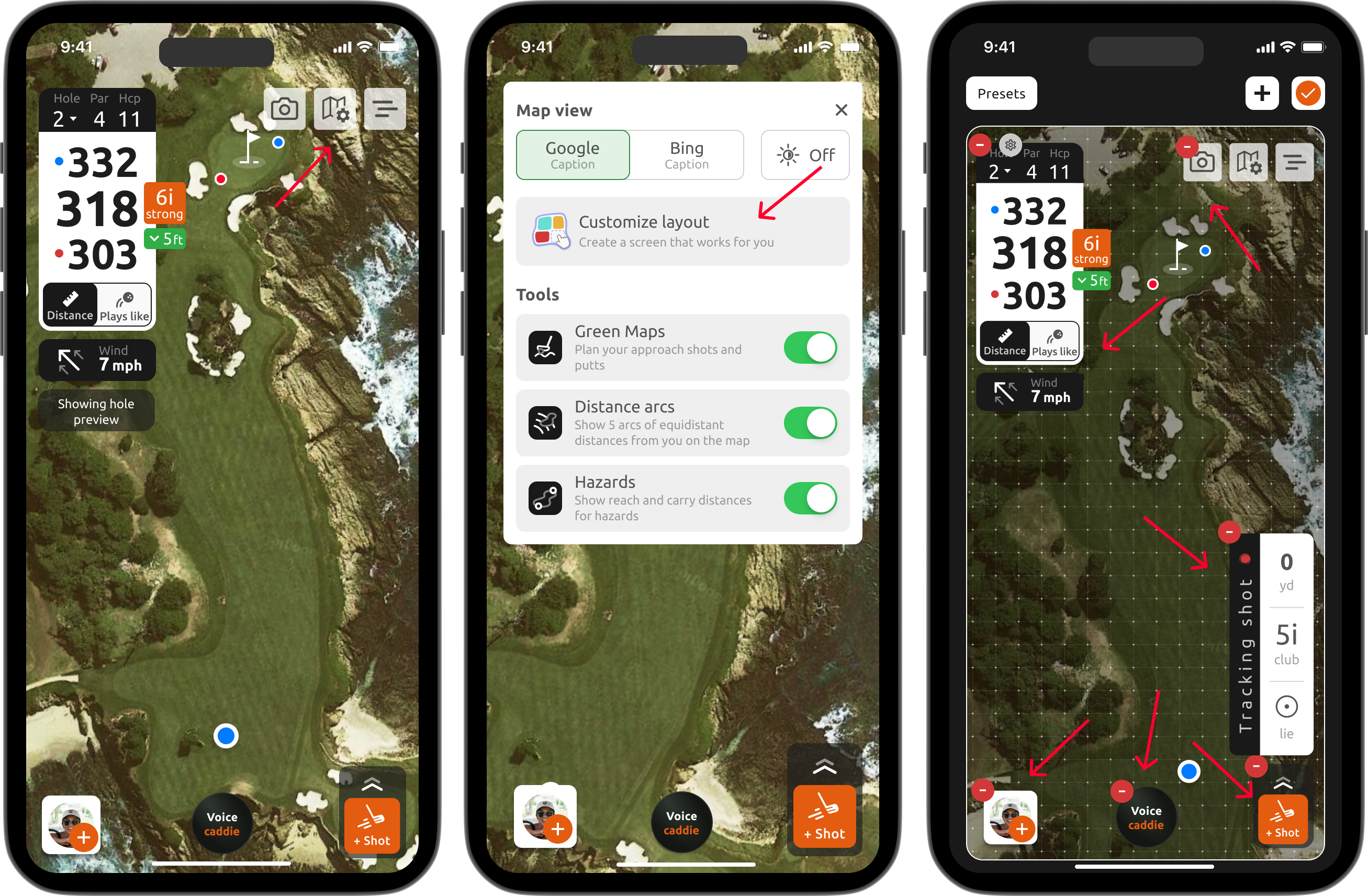
And that is it. This is only the beginning for the customizable screen, and we are already working on new features to make it even better.
If you run into any difficulties, please contact us at support@15club.golf. You can also create a new support ticket using this site, by tapping on 'New' in the upper right corner.
Was this article helpful?
That’s Great!
Thank you for your feedback
Sorry! We couldn't be helpful
Thank you for your feedback
Feedback sent
We appreciate your effort and will try to fix the article